
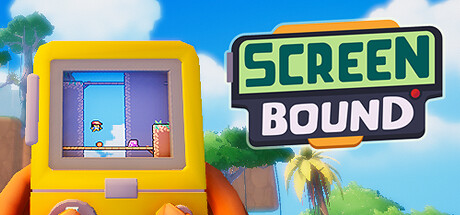
Screenbound Dual-Perspective Puzzle Route
A beginner route for reading the 2D/3D split, testing jumps, and solving perspective puzzles.
12 min
Updated 2026-06-22
By SteamAchieve Editorial
Guide Overview
What this guide will help you do
Screenbound questions center on the Qboy dual reality: players can lose their frame of reference while controlling 2D and 3D spaces at once. This guide gives a observe-first puzzle rhythm.
Trend source
Recent YouTube, Steam, and Reddit Next Fest discussions
Best for
Players trying the demo or deciding on a wishlist
Guide goal
Answer the most common onboarding, route, and mechanics questions first
Suggested pace
Use the first 30-45 minutes to validate the core loop
Read fixed references in both worlds first
Before jumping, identify objects that stay consistent between the 3D room and the 2D screen.
- Pause for five seconds after entering a room and map platforms, walls, and switches across both views.
- Move one small step to see how both avatars mirror each other before sprinting.
- Treat the 2D screen as the map and the 3D room as the execution space.
Use short hops to test rules, then long jumps to solve
Most blockers come from not knowing which world owns the collision rule.
- Your first attempt should be short hops and turns to confirm ledge behavior.
- Before crossing a hazard, check the 2D path first and the 3D landing height second.
- After failure, restart from the last safe platform instead of randomizing the whole route.
Clear threats before operating puzzle switches
In dual-view combat, minor enemies are dangerous because they interrupt your reading.
- Circle the room first to identify spawn points before touching switches.
- Pull enemies into positions that are readable in both 2D and 3D.
- Solve the room after clearing it to reduce input mistakes.
Next Steps
Apply this route, then keep the next read close
A guide detail page should keep the current action and the next useful page tightly connected.
Guide Meta
At a glance
Game
Screenbound
App ID
2805070
Difficulty
Beginner
Read time
12 min
Updated
2026-06-22
Checklist
Before you start
Related Guides